Programming a Chamberlain garage door opener remote takes about three minutes and you don't need any tools. You press the Learn button on the opener motor, then press and hold the button on your remote until the opener light blinks or you hear a click. The process is the same on nearly every Chamberlain opener built since 1993. If the remote still won't work after that, the cause is usually a weak battery or a remote that doesn't match your opener's technology.
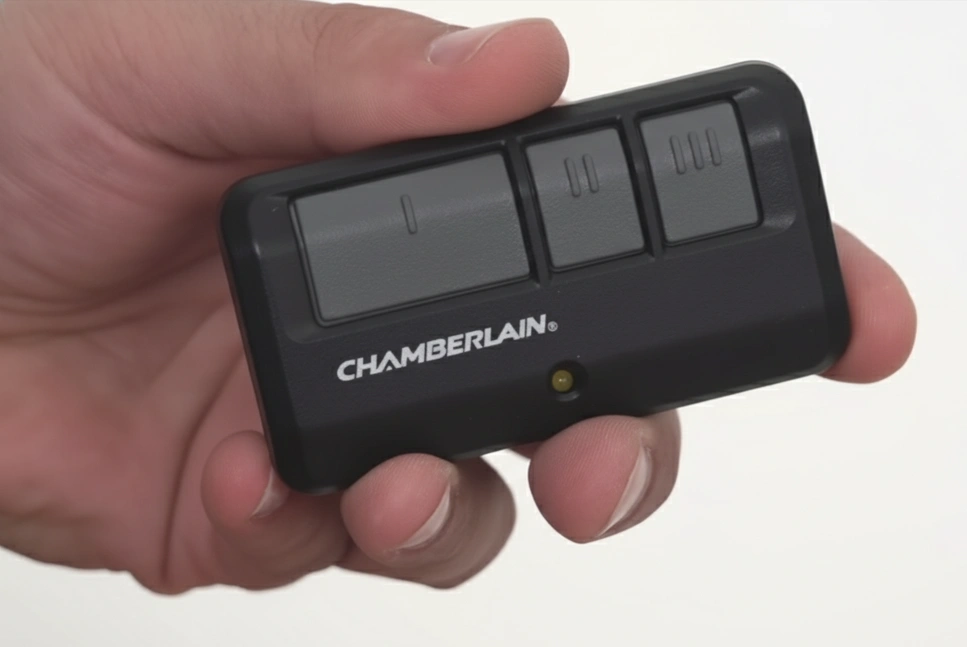
Here's the short version:
- Find the Learn button on the opener motor unit on the ceiling.
- Press and release it once. The small LED next to it lights up for about 30 seconds.
- Within those 30 seconds, press and hold the remote button until the opener light blinks or clicks.
- Let go and press the remote again to test it.
- If nothing happens, put a fresh battery in the remote and try again.
Before you climb a ladder, swap the battery. A dead or weak battery is behind a lot of "my remote stopped working" calls, and a new one costs a couple of dollars. If a fresh battery doesn't fix it, or you just bought a new remote, you'll need to program it to your garage door opener.
Why the opener has to learn each remote
Chamberlain openers use rolling code technology. Every time you press the remote, it sends a different code, so someone can't record your signal and replay it later. Programming tells the opener to accept that particular remote.
The opener keeps several remotes in memory at once, so everyone in the house can have their own. Many Chamberlain models hold up to eight. Your owner's manual lists the exact number for your model.
When you need to program a remote
- You bought a new or replacement remote.
- You bought a universal remote or are setting up a car's built-in opener buttons.
- The opener's logic board was replaced.
- You moved into a house and cleared the old owner's remotes out of memory.
A remote that works some days and not others usually doesn't need reprogramming. That's a battery, antenna or interference problem, covered further down.
Finding your Learn button
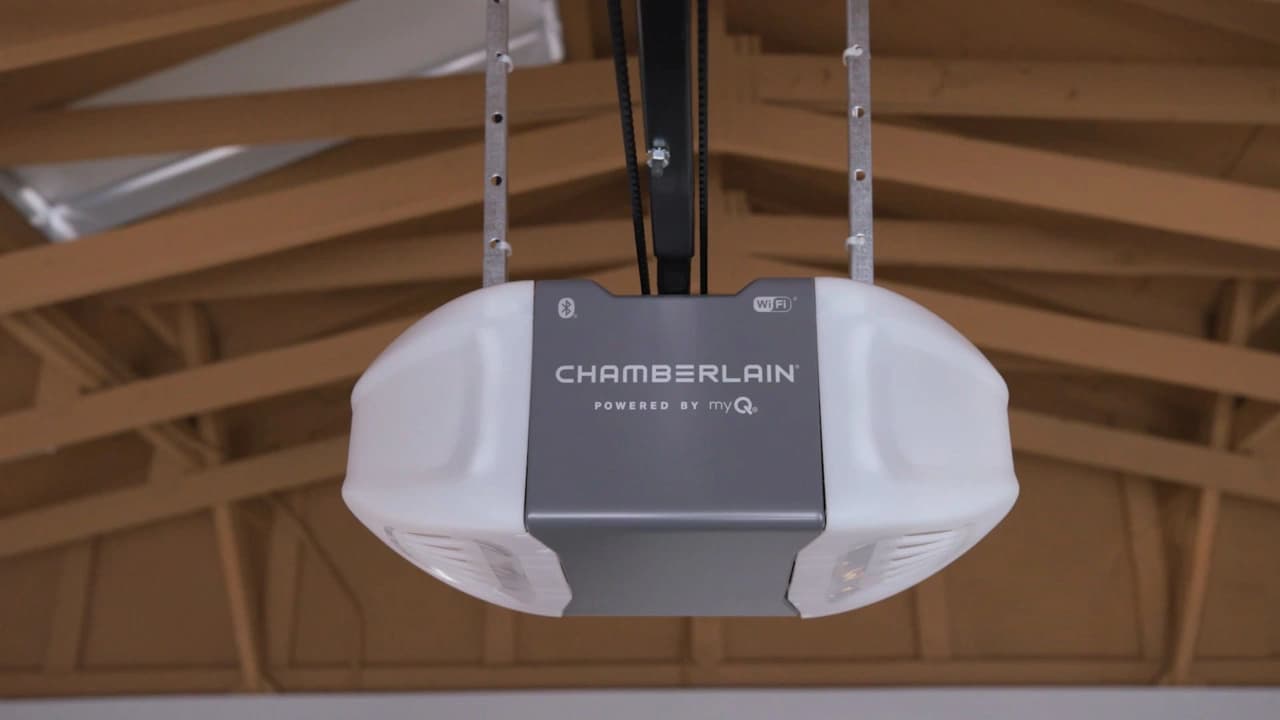
The Learn button is on the back or side of the motor unit, usually close to where the antenna wire hangs down. On some models it sits behind the light lens cover. You'll need a step ladder to reach it.
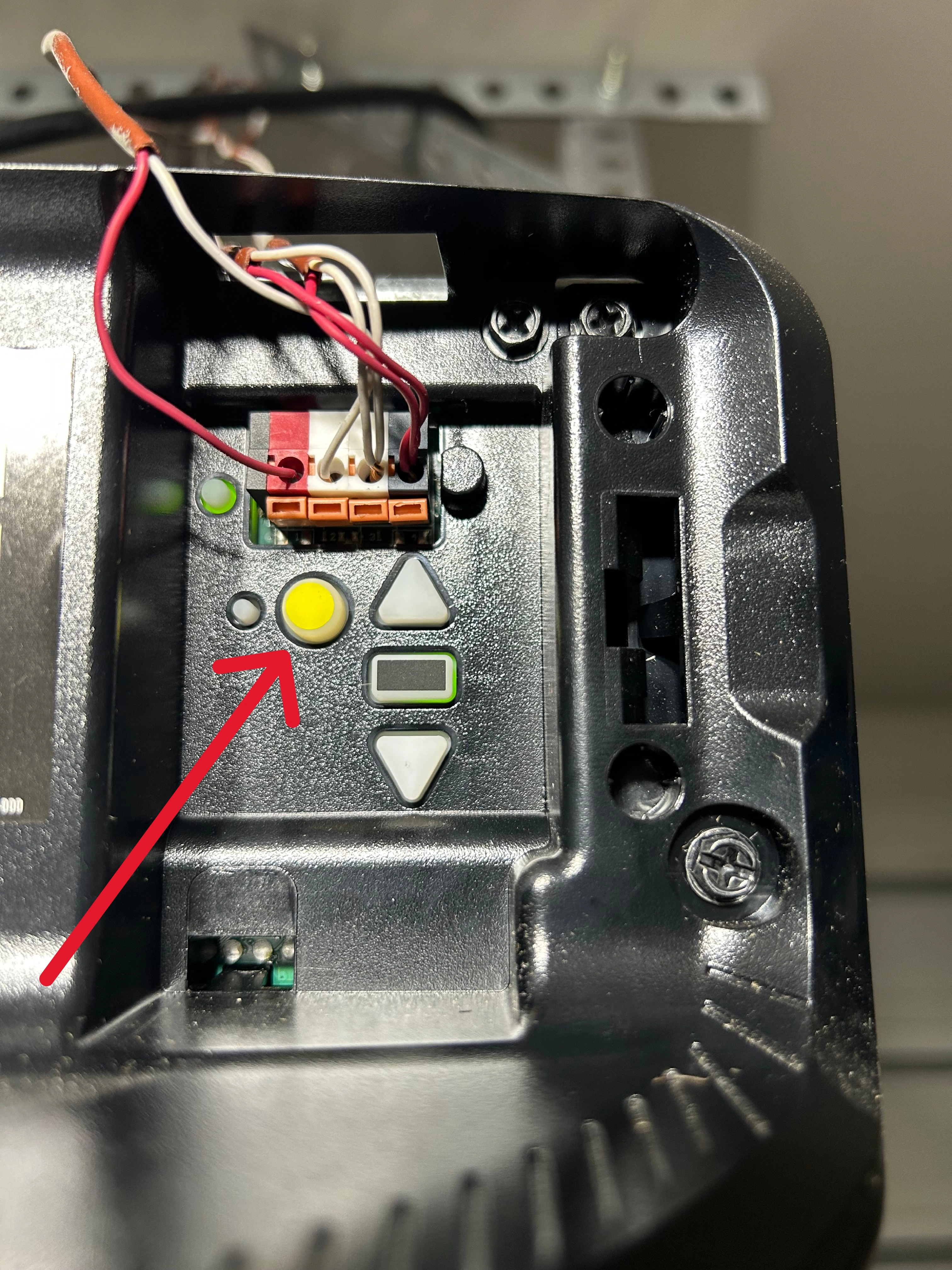
Learn button colors and what they mean
The color of the button tells you which radio technology your opener uses. That matters when you buy a remote, because the remote has to speak the same language. Chamberlain and LiftMaster share this chart since they're made by the same company.
| Learn button color | Technology | Built roughly |
|---|---|---|
| Yellow | Security+ 2.0 | 2011 to today |
| Purple | Security+ 315 MHz | 2005 to 2014 |
| Red or orange | Security+ 390 MHz | 1997 to 2005 |
| Green | Billion Code 390 MHz | 1993 to 1997 |
The programming steps are the same for every color. What changes is which remotes will work. A yellow-button opener needs a remote that supports Security+ 2.0. A green-button opener is old enough that many remotes sold today won't pair with it. If your opener has no Learn button at all, it's probably a pre-1993 model that uses small DIP switches instead, and those openers don't have the photo-eye safety sensors newer ones do.
When you press the Learn button, the LED next to it stays on for about 30 seconds. That's your window to program the remote.
Step-by-step programming instructions
Have the ladder set up and the remote in your pocket before you start, since the 30-second window goes fast.
- Set the ladder on solid floor under the motor unit, off to one side of the door's path.
- Find the Learn button on the back or side of the motor unit.
- Press and release the Learn button once. Don't hold it down; holding it can erase the remotes already stored.
- Check that the LED next to the button is lit.
- Within 30 seconds, press and hold the button on your remote. Stay close to the opener while you do it.
- Keep holding until the opener light blinks or you hear one or two clicks.
- Release the remote button. Programming is done.
- Step off the ladder, stand clear of the door and press the remote to make sure it opens and closes the door.
Once you've found the button, the whole thing takes less than a minute.
If it doesn't work the first time
Press the Learn button again and start over. Program from right under the opener. Standing 10 to 15 feet away sometimes causes a miss.
Hold the remote button a little longer, a full 3 to 5 seconds instead of a quick tap. Some models need the longer press. If you're programming a multi-button remote, make sure you're pressing the same button you plan to use day to day.
Programming more than one remote
Repeat the same steps for each remote, one at a time. Press Learn, program the first remote, wait a few seconds, then press Learn again for the second one. Each remote gets its own learn cycle.
If a remote goes missing, don't just program a new one on top of the old list. The lost remote still opens your door. Clear the memory (steps below) and reprogram the remotes you still have.
Common problems and fixes
Sometimes programming doesn't take on the first try. These are the issues we see most around Houston.
The remote still won't work
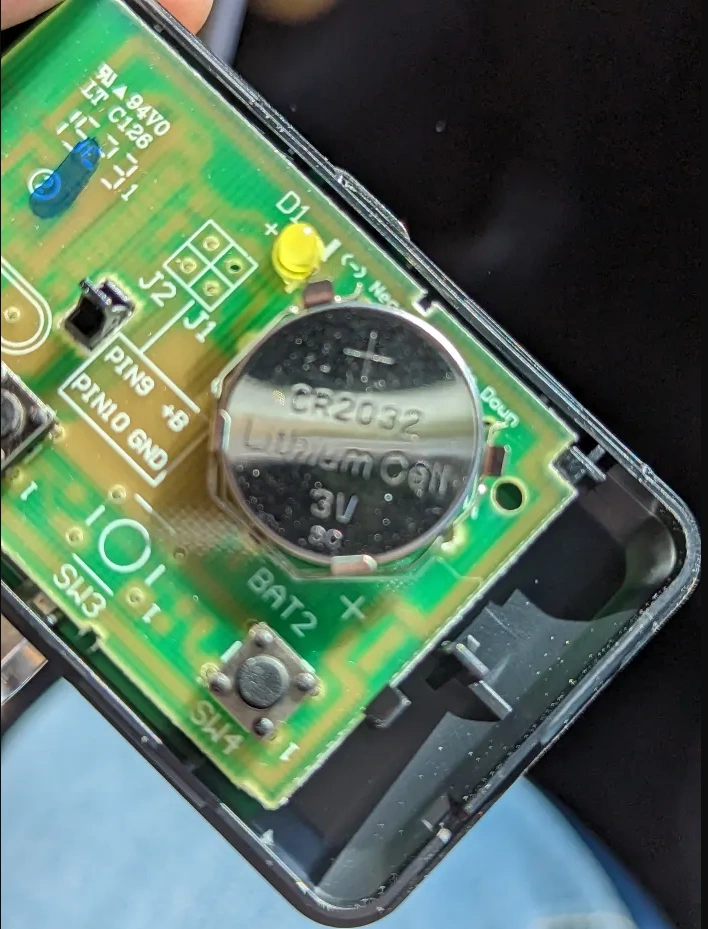
Replace the battery even if the little light on the remote still comes on. A weak battery can light the LED and still not send a strong enough signal. Check the size printed on the old battery before you buy. Many current Chamberlain remotes use a 3V CR2032 coin cell.
Check that the remote matches your opener. Use the Learn button color chart above. A universal remote has to list your opener's technology as compatible, and plenty of cheap ones skip Security+ 2.0.
Look at the antenna wire on the motor unit. It should hang straight down, a few inches below the opener. If it's tucked up into the housing or bent around a bracket, range drops off.
Turn off the garage lights and try again. Some LED bulbs, especially cheap ones screwed into the opener itself, put out radio noise that blocks the remote signal. If the remote works with the lights off and fails with them on, swap the bulbs for ones labeled as garage door opener compatible.
The remote works up close but not from the driveway
That's usually a weak battery or interference. Replace the battery first. If range is still short, check the antenna wire and look for new electronics near the opener, like a freezer, a phone charger, a Wi-Fi extender or those LED bulbs.
Clearing old remotes from memory
You can erase every remote and keypad code at once. Press and hold the Learn button for about 6 seconds, until the LED next to it goes out. Everything the opener had stored is gone.
Then program each remote you want to keep. We'd do this any time you move into a new house in the Houston area. You don't know how many remotes the last owner handed out, or whose car still has one clipped to the visor.
When to call a professional
Programming a remote is easy for most people. Sometimes, though, the remote isn't the problem and the opener needs garage door repair. If the opener is more than about 10 years old, hums without moving or is dead altogether, our cost guide covers what a new opener costs installed.
Signs you need help
- The opener doesn't respond to the wall button either.
- You hear grinding or clicking from the motor.
- The LED next to the Learn button never lights up.
- The door opens partway and stops.
- Every remote stops working at the same time.
Those point to the opener motor, the logic board or the garage door sensors, not the remote. Pressing buttons over and over won't fix it.
Leave the motor unit cover on. The logic board inside is easy to damage, and the opener is plugged into a live outlet.
If the opener won't learn any remote after a fresh battery and a clean memory reset, call us at (713) 324-8950. A tech will check the logic board, antenna and wall control, and if a part or a new opener is needed, you'll get the price before anything gets replaced. We install and repair Chamberlain, LiftMaster and Genie openers out of our Sugar Land shop.
Frequently Asked Questions
How long do Chamberlain remote batteries last?
It depends on how often you use the remote, but a battery commonly lasts a year or two. Swap it as soon as you notice the range shrinking. Keeping a spare of the right size in the glovebox saves you from getting stuck outside.
Can I use a universal remote with my Chamberlain opener?
Yes, as long as the universal remote supports your opener's technology. Check your Learn button color, then look for Security+ or Security+ 2.0 on the remote's compatibility list. Your opener's model number, printed on a label on the motor unit, helps you match it.
Why does my Chamberlain remote only work sometimes?
Intermittent problems usually come from a weak battery, radio interference or an antenna wire that's tucked up out of the way. Replace the battery first. Then make sure the antenna hangs straight down and try the remote with the garage lights off to rule out LED bulb interference.
How many remotes can I program to my Chamberlain opener?
Many Chamberlain openers store up to eight remotes. Newer models may handle more devices, especially with myQ accessories. Your owner's manual gives the exact count for your model.
Do I need to reprogram my remote after a power outage?
Usually no. The opener keeps its remote memory when the power goes out. If the remote stops working after an outage, check for a tripped breaker or GFCI outlet, make sure the opener is plugged in and try a fresh battery.
Can I program a Chamberlain remote without a ladder?
On most openers you need to reach the Learn button on the motor unit, and a step ladder does that in a normal garage. Some newer Chamberlain wall controls have a learn function in their menu, so check your manual. With very high ceilings, use a taller ladder or have a tech do it during a service visit.